


How to Delete Instagram Account Permanently Easy Steps 2026
Introduction
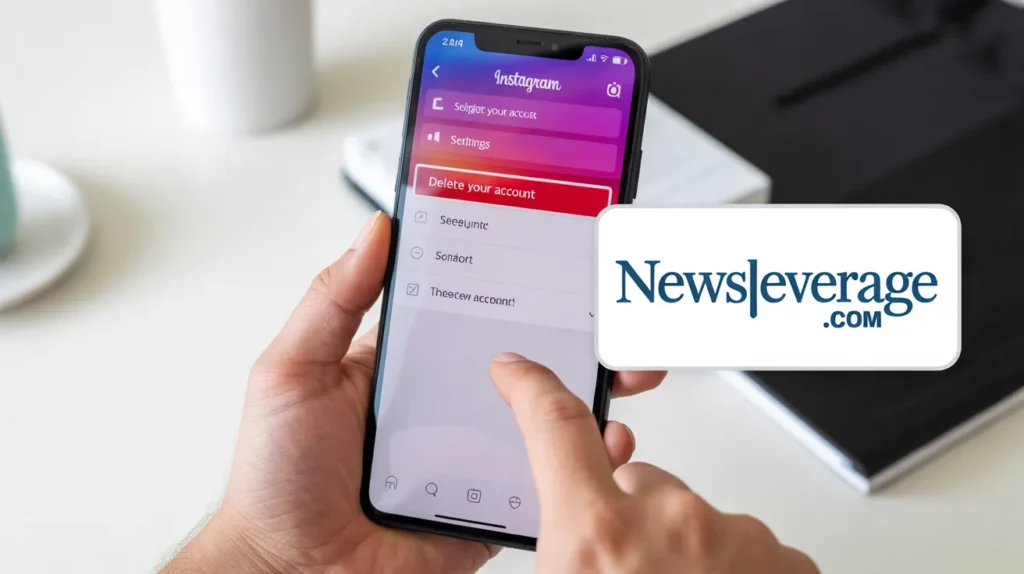
You have finally made the decision. Maybe Instagram is eating too much of your time. Maybe you want a fresh start. Or maybe you just want out completely. Whatever your reason, learning how to delete Instagram account is easier than you think — and you are in the right place.
Instagram does not make it obvious. The button is not sitting on your home screen. The platform would rather keep you scrolling forever. But once you know where to look, the whole process takes under five minutes.
In this guide, I will walk you through every step clearly. You will learn how to permanently delete your account, how to temporarily deactivate it instead, what happens to your data afterward, and what you should do before you go. Let us get started.
Delete vs. Deactivate: Know the Difference First
Before you take action, you need to understand what you are choosing between. These two options are very different.
Deleting your account means it is gone permanently. Your photos, videos, followers, messages, and profile all disappear after a short grace period. Instagram gives you about 30 days to change your mind. After that, recovery is not possible.
Deactivating your account is a temporary pause. Your profile becomes invisible to others, but Instagram saves everything. You can return anytime by simply logging back in.
Ask yourself honestly: do you want a break, or do you want out for good? Your answer shapes everything that follows.
Important Things to Do Before You Delete
Once you delete your account, there is no coming back. So spend a few minutes preparing. These steps save you from regret later.
- Download your data. Instagram lets you request a full copy of everything you ever posted, messaged, or saved. Go to Settings, then Security, then Download Data. Instagram emails you a downloadable link within 48 hours.
- Save important photos and videos. Open the app, go to each post you love, and save it manually. Or use a trusted third-party downloader to bulk save your gallery.
- Note your linked accounts. If you signed into other apps using Instagram login, switching those logins to email-based access before deleting saves you from getting locked out.
- Inform your close followers. If you run a business or personal brand, tell your audience where they can find you next. A simple last post works perfectly.
- Check your active subscriptions. If you pay for any Instagram subscriptions or creator features, cancel them before deleting so you avoid future billing issues.
How to Delete Instagram Account Permanently (Step-by-Step)
Here is the exact process. Follow each step carefully. Instagram currently requires you to use a browser for permanent deletion, not the app.
On Mobile (Using a Browser)
- Open Safari, Chrome, or any browser on your phone.
- Go to instagram.com and log in to your account.
- Tap your profile icon at the bottom right.
- Tap the three horizontal lines at the top right corner.
- Go to Settings and Privacy, then scroll down to find Account Center.
- Tap Personal Details, then Account Ownership and Control.
- Select Deactivation or Deletion.
- Choose your Instagram account, then select Delete Account.
- Select a reason from the list Instagram shows you.
- Tap Continue, then enter your password to confirm.
- Tap Delete Account to complete the process.
Your account enters a 30-day deactivation window. During this time, no one can see your profile. If you log back in within 30 days, your account is restored. After 30 days, Instagram permanently deletes everything.
On Desktop or Laptop
- Open your browser and go to instagram.com.
- Log in with your username and password.
- Click your profile icon at the top right.
- Click Settings and Privacy from the dropdown.
- Click See More in Account Center.
- Click Personal Details, then Account Ownership and Control.
- Click Deactivation or Deletion.
- Select your account, then choose Delete Account.
- Pick a reason and click Continue.
- Enter your password and confirm the deletion.
How to Temporarily Deactivate Your Instagram Account
If you want a break without losing everything, deactivation is your best option. Here is how to do it from the app.
- Open the Instagram app on your phone.
- Tap your profile icon at the bottom right.
- Tap the three lines at the top right, then go to Settings and Privacy.
- Scroll to Account Center and tap it.
- Tap Personal Details, then Account Ownership and Control.
- Tap Deactivation or Deletion.
- Select your account and tap Deactivate Account.
- Choose a reason and tap Continue.
- Enter your password and tap Deactivate.
Your account disappears from Instagram immediately. No one can search for you, see your posts, or find your profile. To reactivate, just log in again.
What Happens After You Delete Instagram Account?
People often wonder what Instagram actually does after you confirm the deletion. Here is a clear breakdown.
- Your profile goes invisible right away. No one can search for or view your account the moment deletion begins.
- You have a 30-day grace period. Logging in during this period cancels the deletion entirely and restores your account.
- After 30 days, permanent deletion begins. Photos, videos, comments, likes, followers, and messages all get removed.
- Some data may remain in Instagram’s systems for a limited time. According to Meta’s privacy policy, certain information tied to legal obligations or safety may stay in backups briefly.
- Your username becomes available again. Anyone else can register the same username after deletion.
Can You Recover a Deleted Instagram Account?
This is one of the most searched questions around how to delete Instagram account. The short answer: only within 30 days.
If you are within the 30-day window, simply open Instagram, log in with your credentials, and tap Cancel Deletion. Your account comes back exactly as it was.
After 30 days, recovery becomes impossible. Instagram does not keep copies for users to retrieve. Not customer support, not a special form, nothing. If you believe you might regret it, deactivate instead. That choice keeps everything safe indefinitely.
How to Delete Instagram Account From the App
Many users search specifically for how to delete Instagram account directly from the app. Here is the truth: Instagram removed the direct account deletion option from the mobile app in most regions. You now need to go through Account Center, which often opens a browser-based flow anyway.
The steps shared earlier in this guide work on all devices. Whether you are on iPhone, Android, Mac, or Windows, the Account Center path is the correct one.
If you see an option inside the app under Settings that says Delete Account, tap it. Some older app versions still show this shortcut. Follow the prompts to completion.

How to Delete Instagram Account Without a Password
Lost access to your account? You still have options. Instagram requires a password for deletion, but here is how to regain access first.
- Open Instagram and tap Forgot Password on the login screen.
- Enter your email, phone number, or username.
- Instagram sends a reset link. Click it to set a new password.
- Once you reset your password, follow the full deletion steps above.
If you cannot access your email or phone number either, use the Get More Help option on the login screen. Instagram walks you through identity verification to regain access. This process takes a few days but it works.
How to Delete Instagram Account for a Child or Minor
Parents sometimes need to delete Instagram account access for their children. Instagram requires users to be 13 or older. If you believe a child under 13 has an account, you can report it directly.
- Go to the child’s profile page.
- Tap the three dots at the top right.
- Tap Report, then tap Report Account.
- Select the option that says the account belongs to someone under 13.
Instagram reviews these reports and removes accounts that violate its age policy. If you have access to the account credentials, you can also log in and follow the standard deletion steps above.
Why More People Are Choosing to Delete Instagram Account
You are not alone in making this decision. In fact, Instagram has faced growing criticism from users, researchers, and even regulators.
- Mental health concerns. Studies link heavy Instagram use to higher rates of anxiety and depression, especially among younger users.
- Privacy worries. Many users feel uncomfortable with how Meta collects and uses personal data.
- Digital minimalism. More people are simplifying their digital lives by cutting platforms they no longer find valuable.
- Time management. Instagram is designed to keep you scrolling. Deleting it frees hours back into your week.
- Toxic environments. Some users experience harassment, negativity, or comparison spirals that affect their wellbeing.
Whatever brought you here, your reason is valid. Knowing how to delete Instagram account gives you control over your own digital life.
Final Thoughts
You now know exactly how to delete Instagram account permanently, how to deactivate it temporarily, how to recover it within 30 days, and what to do if you have lost your password. The process is straightforward once you know where to look.
Before you take the final step, download your data. Save your photos. Disconnect any third-party apps linked to your Instagram login. These small actions take just a few minutes and save you from frustration later.
Taking control of your social media is a powerful move. Whether you delete for good or just take a break, you are making a conscious choice about how you spend your time and energy online. That choice deserves respect.
If this guide helped you, share it with someone else who is thinking about leaving Instagram. And if you are on the fence, leave a comment below. What is the one thing that would make you stay or go?
Frequently Asked Questions (FAQs)
1. How long does it take to permanently delete an Instagram account?
After you confirm deletion, Instagram holds your account for 30 days. During this window, your profile is invisible. After 30 days, Instagram permanently deletes all your data. The entire process from confirmation to full deletion takes about 30 days.
2. Can I delete my Instagram account from the mobile app?
Instagram has moved the deletion option to Account Center, which works through a browser-based flow even when accessed from the app. Use the steps in this guide under Settings and Privacy for the most reliable path.
3. What happens to my followers when I delete my account?
All your followers and following connections disappear permanently. Your followers cannot see your profile, cannot message you, and will not receive a notification that you left. Everything tied to your account gets removed.
4. Can I reuse my username after deleting my Instagram account?
No. Once you delete your account, your username becomes available to anyone. If you create a new account later, someone else may have taken that username. Instagram does not reserve deleted usernames for former account holders.
5. Does deleting Instagram remove my data from Meta’s servers?
Most of your data gets deleted. However, Meta’s privacy policy states that some information may remain in backup systems for a limited time for legal or safety reasons. Instagram begins deleting user data promptly after the 30-day grace period ends.
6. How do I delete Instagram account if I forgot my email and password?
Use the Get More Help option on the Instagram login screen. You can verify your identity through a phone number linked to your account or through a photo verification process. Once access is restored, follow the standard deletion steps.
7. Is deactivating better than deleting Instagram account?
It depends on your goal. Deactivating is better if you want a break but might return. Deleting is better if you want to leave permanently and remove your data. Choose based on how certain you feel about your decision.
8. Will deleting Instagram delete my Facebook account too?
No. Instagram and Facebook are separate accounts even though they are owned by Meta. Deleting your Instagram account does not affect your Facebook profile. You need to delete each platform independently.
9. How many times can I deactivate my Instagram account?
Instagram allows deactivation once per week. If you deactivated recently, you need to wait before doing it again. There is no limit on how many total times you deactivate over your account’s lifetime.
10. Can someone still see my old comments after I delete my account?
No. After your account is permanently deleted, your comments, likes, and DMs disappear from other users’ posts and inboxes as well. Instagram removes all traces of your account activity across the platform.
Also Read Newsbeverage.com
Email: johanharwen314@gmail.com
Author Name: Johan harwen
About the Author: Johan Harwen is a digital lifestyle writer and tech educator with over eight years of experience covering social media platforms, online privacy, and the evolving intersection of technology and everyday life. His work has helped hundreds of thousands of readers navigate complex platform decisions with clarity and confidence.Johan believes technology should serve people, not the other way around. He writes to simplify the overwhelming, demystify the technical, and empower everyday users to take control of their digital presence. When he is not writing, Johan is likely experimenting with the latest apps, reading about digital wellness, or helping friends detox from social media spirals.
