TSA Public WiFi Warning: The Dangerous Truth Every Traveler Must Know in 2026
Introduction
You are sitting at Gate 14, your flight is delayed by two hours, and your phone is at 40 percent. You see it right there: “Free_Airport_WiFi.” One tap. Done. You are online.
But here is what nobody tells you in that moment — that single tap could cost you your bank account, your passwords, and your personal identity.
The TSA public WiFi warning is not just a social media post. It is an official advisory from the Transportation Security Administration, the federal agency responsible for your safety at every airport in the United States. They are telling you, directly, that free public WiFi at airports is a serious cybersecurity threat.
In this article, you will learn exactly what the TSA is warning travelers about, how hackers operate inside airports, what happened to real victims, and — most importantly — what you can do right now to stay safe every time you travel.
What Exactly Is the TSA Public WiFi Warning?
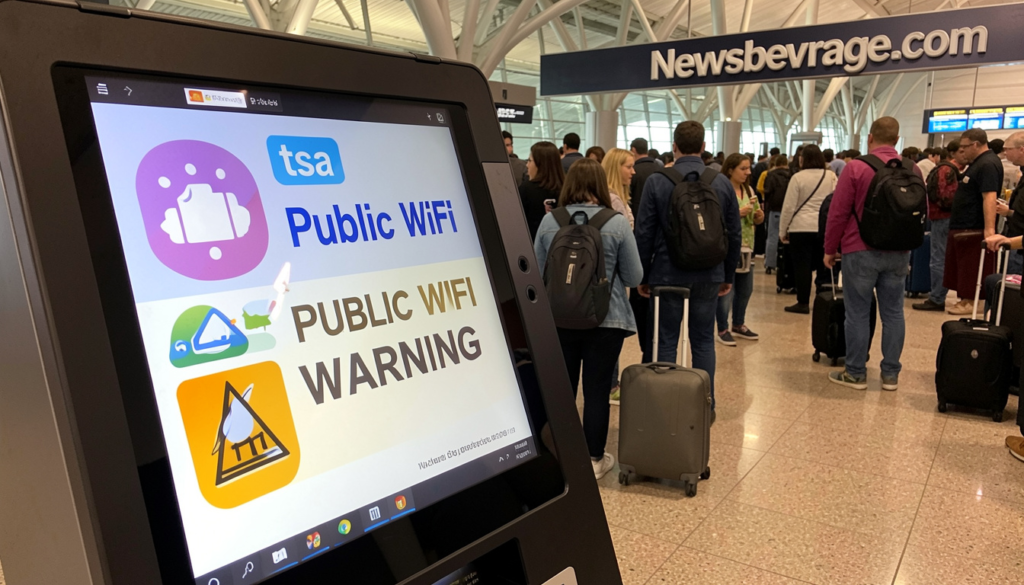
The TSA issued its public WiFi warning through an official social media post that went viral across the internet. The message was simple and clear.
“Don’t use free public WiFi, especially if you’re planning to make any online purchases. Do not ever enter any sensitive info while using unsecure WiFi.”
That statement came straight from the agency’s own IT security team. It was not a vague suggestion. It was a direct warning based on a real and documented rise in cyberattacks targeting travelers at airports.
The TSA also flagged a second major threat in the same post: public USB charging ports. Together, these two everyday airport conveniences have become the go-to tools for hackers looking to steal personal data from distracted, exhausted travelers.
Why Did the TSA Issue This Warning Now?
Cybercriminals have always targeted airports. But the sophistication and frequency of attacks have increased sharply in recent years. During peak travel seasons like holidays and summer, the volume of distracted travelers creates what experts call a perfect storm for cybercrime.
The TSA chose to go public because airport-based hacking is no longer theoretical. It is happening every day, in airports across the country and around the world. The agency felt travelers needed to hear it clearly, without any technical jargon.
The Two Biggest Airport Cyber Threats You Need to Know
1. Evil Twin WiFi Attacks: The Hacker’s Favorite Trick
This is the threat that keeps cybersecurity experts up at night. An evil twin attack is shockingly simple to pull off, and it is nearly invisible to the average traveler.
Here is how it works. A hacker walks into an airport with a small, portable device. They create a fake WiFi hotspot with a name that looks completely legitimate. If the real airport network is called “LAX_Free_WiFi,” the fake one might be called “LAX Free WiFi” or “LAX_Airport_WiFi.”
Your phone sees a strong, open signal. You connect without a second thought. The moment you do, the hacker becomes the invisible middleman between you and the internet. Every website you visit, every password you type, every email you send passes directly through their device. They read everything in real time.
This is not a hypothetical. In Australia, a man named Michael Clapsis was sentenced to more than seven years in prison for conducting these exact attacks. He set up rogue WiFi networks on domestic flights and in airports across Perth, Melbourne, and Adelaide. He stole email credentials, social media logins, and sensitive personal data from unsuspecting passengers. Airline staff noticed the suspicious network and reported it. Police traced it back to him, found stolen credentials on his devices, and discovered he had even tried to remotely wipe his phone to cover his tracks.
That case sent shockwaves through the cybersecurity community in the United States. It proved that evil twin attacks are not just happening. They are organized, targeted, and increasingly bold.
Why Evil Twin Attacks Are So Hard to Detect
The reason most travelers fall for this is simple. You cannot see a fake WiFi network. It looks identical to a real one. Your phone does not warn you. Your browser does not alert you. Everything appears normal, right up until your data is gone.
Modern evil twin attacks also use SSL stripping. This technique downgrades encrypted HTTPS connections to unencrypted HTTP. So even websites that appear secure can become readable to the hacker sitting across the terminal.
Matt Radolec, vice president at data security firm Varonis, put it bluntly. He said that as people grow more comfortable with free WiFi everywhere, evil twin attacks will only become more common. Nobody reads the terms and conditions on a free network. Nobody checks the URL. People just click connect as fast as possible.
2. Juice Jacking: What Happens When You Plug In
The second threat the TSA flagged is just as sneaky. Juice jacking happens when a hacker tampers with a public USB charging port at an airport gate, lounge, or café.
You plug in your phone for a quick charge. But hidden inside that USB port is a connection designed to do far more than charge your battery. The moment you plug in, the compromised port can install malware on your device or silently copy your personal data, including emails, photos, banking apps, and contact lists.
The TSA’s advice here is clear. Do not plug directly into a public USB port. Bring your own portable battery pack or wall adapter. If you must use a public port, use a charging-only cable that physically blocks data transfer, or use a USB data blocker between your cable and the port.
Who Is Actually at Risk?
The short answer is everyone. But some travelers are at higher risk than others.
Business travelers are especially vulnerable. They carry laptops loaded with sensitive company data. They check work emails, access internal systems, and sometimes connect to corporate networks using the same unsecured WiFi that everyone else in the terminal is using. A single connection can expose an entire company’s data to a waiting hacker.
Holiday travelers are targeted heavily during peak seasons. They are often tired, distracted, and in a hurry. They are more likely to make online purchases at the airport, especially last-minute gifts or travel bookings. The TSA specifically called out online shopping as one of the riskiest activities on airport WiFi.
International travelers face an added layer of risk. When you travel abroad, your phone’s cellular data plan may be expensive or unavailable. Free WiFi becomes even more tempting. And hackers in international airports know this. They count on it.
Real Signs You Might Be on a Fake Network
You may never know for sure whether you are connected to a legitimate network or a malicious fake one. But there are a few warning signs worth watching.
Watch for these red flags:
- The WiFi network asks for unusual login information, like your email and password, just to connect.
- You see two networks with very similar names, both appearing strong.
- Websites that should load over HTTPS are showing as HTTP only.
- Your connection keeps dropping and reconnecting automatically.
- You are prompted to log in to a page that looks slightly off or asks for more information than normal.
If anything feels wrong, disconnect immediately. Switch to your mobile data instead.
How to Protect Yourself at the Airport
You do not have to stay offline every time you travel. You just need to be smarter than the average passenger. Here is exactly what I recommend, and what the TSA and cybersecurity experts consistently advise.
Use a VPN Every Single Time
A VPN, or Virtual Private Network, encrypts your internet connection. Even if a hacker intercepts your traffic, they see scrambled, unreadable data. Install a trusted VPN app on your phone and laptop before you travel. Turn it on the moment you connect to any public network.
This is the single most effective thing you can do.
Use Your Phone’s Mobile Hotspot Instead
If your data plan allows it, skip the airport WiFi entirely. Connect your laptop or tablet to your phone’s personal hotspot. Your cellular connection is far harder to intercept than an open WiFi network.
Avoid Sensitive Activities on Public Networks
Even with a VPN, avoid logging into banking apps, entering credit card details, or checking sensitive work systems while on public WiFi. Save those tasks for when you are on a trusted network at home or in a hotel with verified credentials.
Bring Your Own Charging Equipment
Pack a portable battery pack. Bring your own wall adapter. These two items cost very little and completely eliminate the juice jacking risk. No public USB port, no problem.
Keep Your Software Updated
Every software update on your phone or laptop includes security patches. Those patches close vulnerabilities that hackers actively exploit. Do not ignore update notifications, especially before you travel.
Turn Off Auto-Connect
Most phones are set to automatically connect to any open WiFi network they have accessed before. Turn this setting off. Go into your WiFi settings and disable auto-connect. This small change prevents your device from silently joining a fake network that mimics a network you used previously.
What the TSA Says You Should Do at an Airport
The TSA’s official guidance is practical and easy to follow. Here is a clean summary of their advice:
- Do not use free public WiFi, period.
- Never enter passwords, banking details, or personal information on a public network.
- Do not plug your phone into a public USB port.
- Use your own certified power brick or battery pack.
- If you must charge via USB, use a data-blocking cable or USB data blocker.
- Use a VPN if you need to connect to public WiFi.
The TSA’s IT team developed these tips specifically for travelers. They are not complex. They just require a small habit shift before and during your trip.
The Bigger Picture: Why Airport WiFi Is a Hacker’s Dream
Airport WiFi is uniquely dangerous for several reasons that go beyond just the technology.
First, airports are chaotic environments. Travelers are stressed, rushing, distracted, and often sleep-deprived. Hackers rely on this distraction. They know you are not thinking clearly when you are scrambling to make a connection or killing time during a three-hour delay.
Second, airport WiFi networks are often managed by third-party companies, not the airports themselves. This means the airport has little to no control over the security of the network running inside its terminals. The security standards vary wildly from one airport to the next.
Third, airports are high-traffic, high-value environments. Thousands of people pass through every hour. Even if only a small percentage connect to a fake network, the hacker still walks away with dozens of stolen credentials in a single afternoon.
That combination of distracted users, weak oversight, and massive foot traffic makes airports one of the most target-rich environments for cybercriminals anywhere in the world.
Frequently Asked Questions
Is it ever safe to use airport WiFi? It is safer if you use a reputable VPN, avoid entering any sensitive data, and do not log into financial accounts. But the safest option is still to use your phone’s mobile hotspot instead.
What is the TSA public WiFi warning about? The TSA issued an official warning telling travelers not to use free public WiFi at airports, especially for online shopping or entering personal information, because of the real risk of hacking and data theft.
What is an evil twin attack? An evil twin attack is when a hacker sets up a fake WiFi network that looks like a real one. When you connect, all your internet traffic passes through the hacker’s device, where they can read and steal your data.
What is juice jacking? Juice jacking happens when a hacker tampers with a public USB charging port to install malware on your device or steal your data when you plug in to charge.
How do I know if I am on a fake WiFi network? It is very difficult to know for sure. Red flags include unusual login prompts, duplicate networks with similar names, and connections that drop and reconnect. Use a VPN to protect yourself regardless.
Can hackers steal my data even on HTTPS websites? Advanced attackers use SSL stripping to downgrade HTTPS to HTTP, which makes your data readable. A VPN prevents this by encrypting your connection before it reaches any website.
Should I turn off WiFi at airports entirely? That is the safest option. If you need internet access, use your mobile hotspot instead of connecting to public WiFi.
Is in-flight WiFi safer than airport WiFi? Not necessarily. The Australian case showed that evil twin attacks can happen mid-flight. Be just as cautious on in-flight WiFi as you are on airport networks.
Does the TSA warning apply all year, not just during holidays? Yes. The TSA made clear that while the warning was amplified during the holiday travel season, these risks exist every day of the year.
What is the best way to charge my phone safely at an airport? Bring your own portable battery pack or wall charger. Plug into a standard power outlet, not a USB port. If you must use a USB port, use a charging-only cable or a USB data blocker.
Conclusion
The TSA public WiFi warning is one of the clearest pieces of travel safety advice you will hear from a federal agency. They are not saying airports are dangerous places. They are telling you that the free WiFi inside them is. And they are right.
Hackers have turned airport terminals into hunting grounds. They count on your distraction, your urgency, and your trust in a network name that looks familiar. The tools they use cost less than $500 and can intercept your most sensitive data in seconds.
The good news is that protecting yourself is not complicated. A VPN, a portable battery pack, and a habit of using your mobile hotspot instead of public WiFi will keep you safe on every trip you take.
So before your next flight, ask yourself one question. Is two hours of free airport WiFi worth the risk of losing your bank account access, your passwords, or your identity? The answer should be obvious.
Have you ever had a bad experience with public WiFi while traveling? Share your story in the comments, or pass this article along to a friend who travels frequently. It could save them a serious headache.
also read: newsbeverage.com
email: johanharwen@314gmail.com
Author Name: Sara Mitchell
About the Author : Sara Mitchell is a travel and cybersecurity writer with over eight years of experience covering digital safety, consumer technology, and smart travel practices. She has contributed to publications across the travel and tech space and is passionate about helping everyday travelers navigate the hidden risks of the digital world. When she is not writing, she is exploring new airports and testing the very security tools she recommends.