Make Your Site Mobile-Friendly: Essential Tips and Strategies
Understanding Mobile-Friendliness
In the digital age, a significant portion of internet traffic originates from mobile devices. Therefore, having a mobile-friendly site is crucial for reaching a broader audience. A mobile-friendly site is designed to provide an optimal viewing experience across various devices, from smartphones to tablets, facilitating easy navigation and readability. This concept is intrinsically linked to responsive design, which ensures that the site’s layout adapts to different screen sizes and orientations. A well-structured responsive design adjusts images, text, and other elements dynamically, allowing users to interact seamlessly with the content regardless of their device.
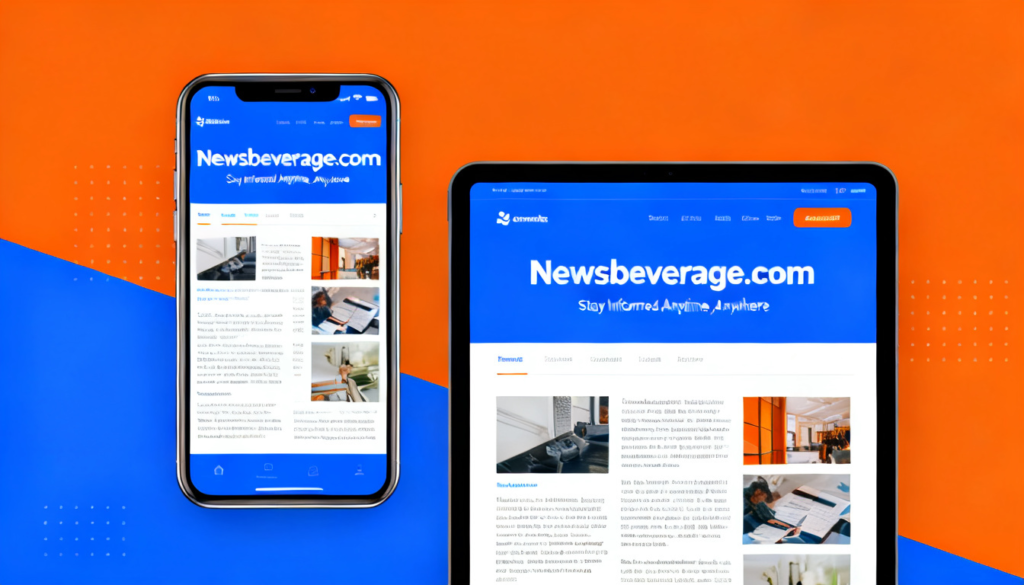
Moreover, mobile-friendliness significantly affects user experience (UX). When users encounter a website that is difficult to navigate on their mobile devices—due to slow loading times, excessive scrolling, or improper formatting—they are more likely to abandon it in favor of a competitor’s site. Such behavior not only affects immediate engagement but can also lead to long-term impacts on brand perception and customer loyalty. Thus, enhancing user experience on mobile platforms should be a priority for all website owners.
The relationship between mobile-friendliness and SEO rankings cannot be overlooked. Search engines prioritize sites that offer a good mobile experience, as they strive to present users with the most relevant and user-friendly results. Google, for instance, uses mobile-first indexing, meaning it predominantly uses the mobile version of content for indexing and ranking. This strategy highlights the importance of making your site mobile-friendly to stay competitive in search engine results. To summarize, investing in mobile optimization is not just a technical upgrade; it is a fundamental strategy for improving user experience and enhancing visibility in search engine rankings.
Why Mobile-Friendliness Matters
In an era where smartphones and tablets dominate internet usage, ensuring your website is mobile-friendly has become a critical aspect of establishing an effective online presence. Statistics reveal that over half of all website traffic now comes from mobile devices. This substantial increase means that a growing number of users are accessing content via smaller screens, leading to elevated user expectations regarding mobile experiences.
When a site is optimized for mobile use, it not only enhances user satisfaction but also improves engagement metrics. Users expect seamless navigation, quick loading times, and content displayed in a way that is easily digestible on handheld devices. If your site fails to meet these standards, it risks losing visitors to competitors who prioritize mobile optimization.
The consequences of overlooking mobile-friendliness can be detrimental. Websites that are not responsive are likely to experience higher bounce rates, as users quickly abandon sites that do not function well on their mobile devices. Additionally, search engines such as Google are now utilizing mobile-friendliness as a ranking factor, meaning that non-optimized sites may struggle to achieve visibility on search engine results pages. In this competitive landscape, it is imperative to recognize the shift towards mobile usage and adapt accordingly.
Moreover, having a mobile-friendly site can boost your brand’s reputation. Users are more likely to trust and engage with a brand that provides a professional and accessible online experience across all platforms. Thus, it becomes essential for businesses to prioritize mobile optimization, ensuring that they can make your site mobile-friendly and cater to the needs of their audience effectively.
Key Elements of Mobile-Friendly Design
Creating a mobile-friendly website begins with understanding the key elements that contribute to effective mobile design. One of the foremost components is a clean layout. This involves simplifying website navigation and ensuring that users can find what they need with minimal effort. A well-structured layout not only enhances usability but also provides a pleasant visual experience. Utilize a grid system to keep elements aligned and organized, giving users a clear pathway through your content.
Another critical aspect of mobile-friendly design is the use of legible fonts. When selecting font sizes and styles, it is crucial to consider mobile screens, which are generally smaller than their desktop counterparts. Opting for a font size of at least 16 pixels is typically recommended, as it ensures readability without excessive zooming. Furthermore, maintaining a contrast between text and background colors enhances visibility, allowing users to engage with your content effortlessly.
Touch-friendly buttons are essential in mobile design, as users interact with their devices using their fingers rather than a mouse. Buttons should be appropriately sized and spaced to prevent accidental clicks; a minimum size of 44×44 pixels is advisable. Additionally, incorporating clear labels and ensuring that buttons are easily recognizable will enhance user interaction.
Lastly, attention to media considerations is vital. Images and videos should be optimized to reduce load times without sacrificing quality. Use responsive images that adapt to varying screen sizes, ensuring a seamless experience across devices. Additionally, consider the use of scalable vector graphics (SVGs) which retain their quality at any resolution, further supporting a mobile-friendly approach. By implementing these key elements, you will significantly improve your site’s mobile-friendliness and overall user satisfaction.
Testing Your Site’s Mobile-Friendliness
In the ever-evolving digital landscape, ensuring that your website is mobile-friendly is paramount. To effectively analyze your website’s mobile-friendliness, utilizing specific tools and metrics is crucial. One of the primary resources for this purpose is Google’s Mobile-Friendly Test, which provides an easy-to-use platform for evaluating how well your website performs on mobile devices.
Using Google’s Mobile-Friendly Test is straightforward. Users simply enter their website URL into the tool, and it delivers an immediate assessment. The test checks various factors such as text size, tap target spacing, and viewport configuration. After testing, it provides insights into mobile usability issues, allowing you to pinpoint areas that require enhancement.
Furthermore, leveraging Google Analytics can also yield valuable information regarding your website’s mobile performance. By examining engagement metrics such as bounce rates, session duration, and user demographics, you can develop a clearer understanding of how visitors using mobile devices interact with your site. For instance, higher bounce rates from mobile users may indicate that your site is not adequately optimized for smaller screens.
Interpreting the results from both the Google Mobile-Friendly Test and your Google Analytics data is essential. Look for common themes in user behavior and focus on improvements that directly impact user experience. Potential adjustments may range from optimizing navigation for touch devices to speeding up page load times. Each step taken to improve these factors can significantly contribute to making your site more accessible to mobile users.
In conclusion, regularly testing your website’s mobile-friendliness using the suggested tools and analytics not only ensures compliance with best practices but also enhances user experience, leading to improved engagement and retention rates.
Responsive Web Design vs. Adaptive Design
The growing reliance on mobile devices necessitates that web designers consider various approaches to create a site that is mobile-friendly. Two prominent methods are responsive web design and adaptive design, each offering unique advantages and disadvantages.
Responsive web design (RWD) relies on fluid grids and flexible images, dynamically adjusting the layout based on the viewer’s screen size. This means that a single version of the website can provide an optimal viewing experience across multiple devices, from desktop monitors to smartphones. One of the main advantages of RWD is its cost-effectiveness since only one website needs to be built and maintained. Moreover, it ensures a consistent user experience, as the content is the same, merely reflowed to fit various screen sizes.

On the other hand, adaptive design focuses on creating several distinct layouts for different screen sizes. When a user accesses a website, the server detects the device type and serves the corresponding version of the site. This approach can provide tailored experiences, allowing for targeted user interactions and faster load times for optimized layouts. However, this can lead to increased development costs and complexity, as multiple design versions need to be created and maintained.
Choosing between these approaches ultimately depends on your specific needs. If budget and resource constraints are a priority, responsive design may be the more suitable option. Conversely, if delivering highly tailored user experience is essential for your audience, adaptive design could be the better choice. Both methodologies offer viable paths to make your site mobile-friendly, putting user experience as a central focus during the design process.
Content Optimization for Mobile Users
In today’s digital age, optimizing content for mobile users is imperative for enhancing user experience and engagement. With an increasing number of individuals accessing websites via mobile devices, it is essential to tailor content specifically for this audience. One effective strategy is to shorten textual content. Mobile users often seek information quickly, so it is beneficial to present concise and direct information. Use bullet points or numbered lists where appropriate to increase readability and provide essential insights at a glance.
Visual elements also play a crucial role in optimizing content for mobile devices. Engaging visuals can capture the attention of users and convey messages more effectively than text alone. Therefore, it is advisable to include relevant images, infographics, or videos that add value to the content. However, it is important to ensure that these visuals are optimized for mobile viewing, which may involve using appropriate file sizes and dimensions to prevent slow load times.
Furthermore, load times significantly impact user satisfaction. A slow site may deter users from engaging with your content and can lead to high bounce rates. To optimize load times, consider compressing images, reducing the complexity of the website design, and utilizing browser caching. Keeping the website layout simple and intuitive is especially beneficial for mobile users navigating on smaller screens. Tools such as Google PageSpeed Insights can provide valuable feedback on website performance and highlight areas for improvement.
By applying these strategies, you can effectively make your site mobile-friendly, keeping users engaged and satisfied with their browsing experience. A well-optimized mobile site will not only cater to the needs of its users but also enhance overall site performance and search engine rankings.
Improving Loading Speed on Mobile Devices
In an era where mobile internet usage continues to soar, having a website that loads quickly on mobile devices is paramount. When users visit a site, a delay of even a few seconds can lead to frustration and potential abandonment. Consequently, optimizing your site to make it mobile-friendly requires a concentrated effort on improving loading speed, which directly impacts user experience and search engine rankings.
One of the primary factors that can slow down a mobile site is heavy images. Large images often take longer to load, causing disruptions in the user experience. To address this issue, it is advisable to compress images and utilize responsive design techniques, ensuring that the content adjusts according to the device’s screen size. Furthermore, adopting modern image formats such as WebP can significantly enhance loading speed while maintaining visual quality.
Another common culprit is excessive use of JavaScript and CSS files. While these elements may enhance functionality, too many scripts or overly complex styles can hinder performance. Simplifying code, minifying files, and combining scripts where applicable can help mitigate these issues. Additionally, leveraging browser caching allows frequently accessed resources to be stored on the user’s device, reducing the load time for repeat visits.
Moreover, the choice of web hosting service can have a considerable impact on site speed. Opting for a reliable provider that offers resources optimized for mobile use is critical. Content Delivery Networks (CDNs) can also play a key role in speeding up load times by distributing content across multiple servers worldwide, ensuring that users receive data from the closest location.
Ultimately, improving loading speed on mobile devices is essential for creating a seamless browsing experience. By prioritizing image optimization, minimizing code, and selecting the right hosting options, you can significantly enhance your site’s mobile-friendly attributes, captivating users and improving your overall digital presence.
User Experience (UX) Best Practices for Mobile Sites
Creating a mobile-friendly site requires careful consideration of user experience (UX), which plays a vital role in user engagement and retention. One of the primary best practices is to simplify navigation. On mobile devices, screen real estate is limited, and a complex navigation structure can lead to frustration. Utilize a clear menu that allows users to access essential sections with minimal effort. Incorporate touch-friendly buttons and ensure that clickable elements are adequately spaced to prevent accidental taps, enhancing overall usability.
Another key aspect of mobile UX is interface design. A responsive layout that adapts seamlessly to various screen sizes is crucial. This can be achieved through fluid grids and flexible images, which maintain visual integrity on devices of all dimensions. Utilize larger fonts and high-contrast colors to enhance readability; users should be able to consume content without squinting or adjusting their screens. Additionally, prioritize content placement by placing the most relevant information toward the top of the page, ensuring that users find what they need quickly.

Addressing common mobile usability issues is essential for enhancing UX. Conduct usability tests to identify areas where users may encounter difficulties, such as slow loading times or unoptimized images. Implement measures such as compressing images and leveraging browser caching to improve loading speed. Furthermore, ensure that your site is accessible; this includes using alt tags for images and ensuring that your content is screen-reader friendly. By adhering to these best practices, you can create a mobile-friendly site that not only meets user expectations but also encourages engagement and promotes frequent visits.
Future Trends in Mobile-Friendly Design
As technology continues to evolve, the realm of mobile-friendly design is swiftly adapting to meet the demands of users. One of the most significant trends is the increasing prominence of voice search. With the proliferation of virtual assistants such as Siri and Google Assistant, more users are interacting with their mobile devices through voice commands. This shift necessitates a redesign of websites to accommodate natural language processing. Hence, businesses need to incorporate voice-optimized search capabilities to ensure that their site remains accessible and user-friendly.
Another crucial development is mobile-first indexing. Search engines are prioritizing the mobile version of websites for indexing and ranking in search results. This change emphasizes the importance of creating a seamless mobile experience, ensuring that mobile users have access to the same high-quality content as those on desktop. Ultimately, to make your site mobile-friendly, organizations must adopt a mobile-first mindset in their web development strategies.
Progressive Web Apps (PWAs) are also set to revolutionize mobile site design. By combining the best features of mobile websites and native apps, PWAs allow users to access content quickly, even with slow internet connections. They feature app-like capabilities such as push notifications and offline access, all while being lightweight and fast to load. By leveraging the benefits of Progressive Web Apps, companies can ensure a mobile-friendly experience that encourages user engagement and retention.
As we look ahead, it is vital for developers and businesses to stay informed about the evolving standards in mobile design. By embracing innovations like voice search optimization, mobile-first indexing, and PWAs, web designers can effectively create engaging and accessible experiences for users. Adhering to these future trends not only improves user satisfaction but also enhances search engine visibility in an increasingly mobile-dominated landscape.
Also read Newsbeverage.com
Email: johanharwen314@gmail.com
Author Name: Johan Harwen